
Archery video analysis
Record a shot, then review its movement and feedback.
Capture a practice video or import one from your phone. ArcherSense maps movement locally and sends the video for cloud AI analysis, returning form metrics, insights, and detailed feedback you can revisit.
Download ArcherSense ↗Available on iOS and Android. Plans and availability can vary by country.
01
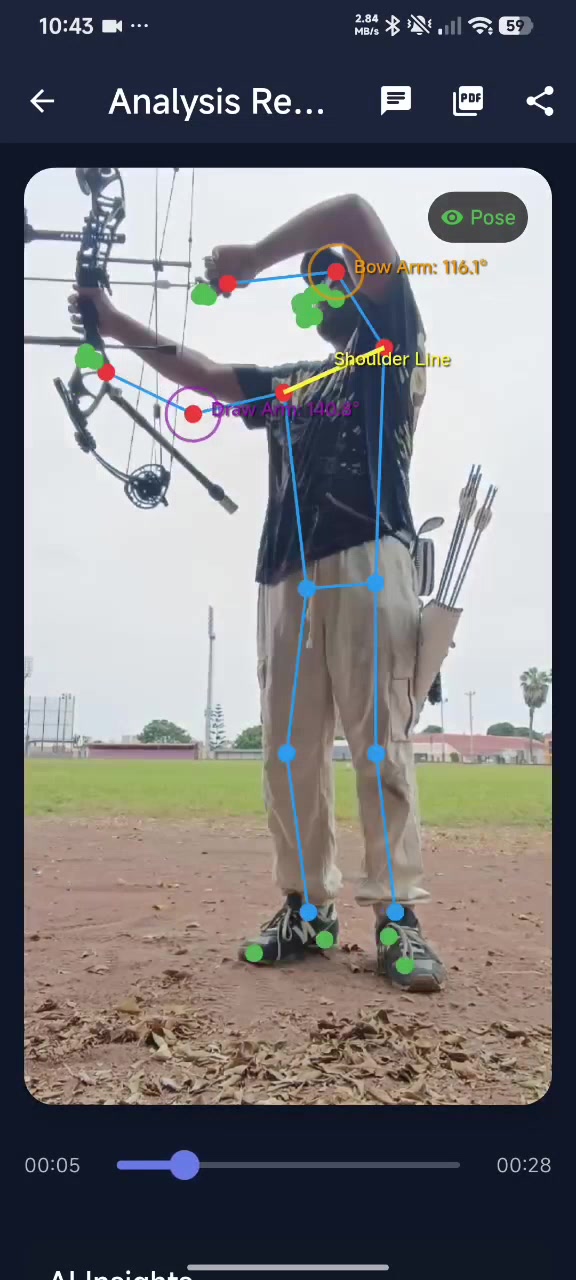
Record or import your shot.
Use a steady phone or tripod and keep the archer and full shooting motion visible. You can also choose a video already on your phone.
- Record in the app or import a video
- Keep the camera steady
- Include the full motion in frame
02
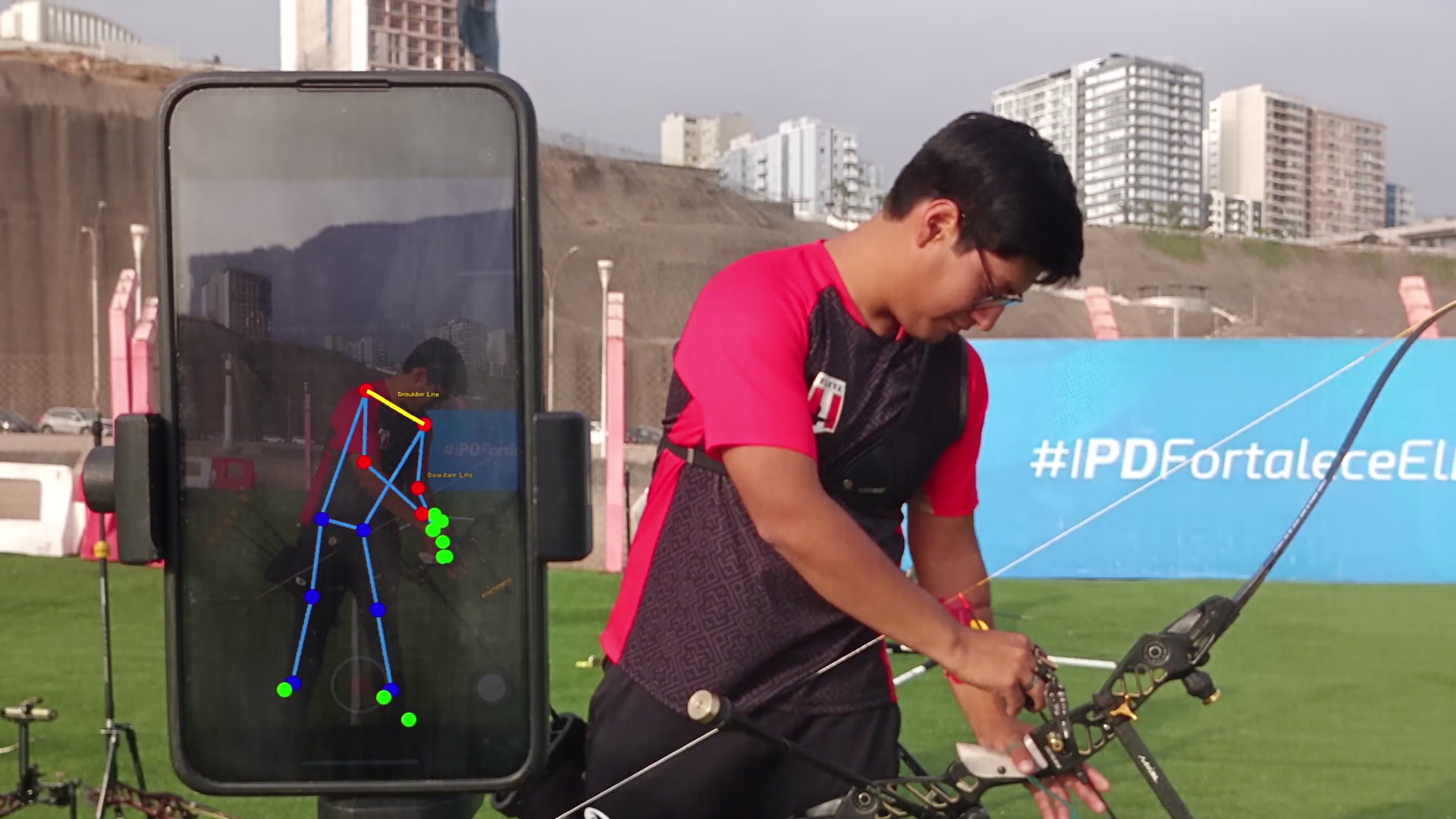
Get a movement timeline and AI feedback.
Pose processing builds a movement timeline on your device. For AI feedback, the video is uploaded for cloud analysis, which returns form metrics, insights, and detailed observations.
- Review the pose timeline
- Read analysis metrics and insights
- Ask a follow-up question about the result
03
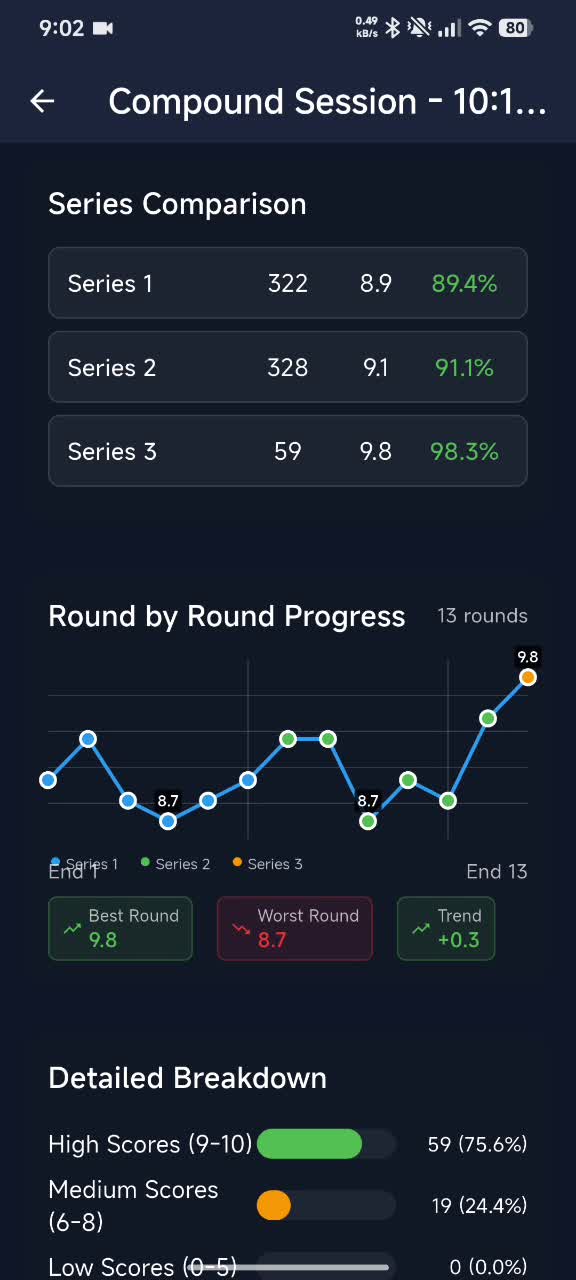
Reopen or compare saved analyses.
Completed reviews are available in the video library. Reopen a result, compare two saved videos side by side, or save and share a report with your coach.
- Find completed reviews in the video library
- Compare two saved videos
- Share a PDF or annotated video
Sample video analysis
See a recorded shot and its review.
Watch the sample, then record your own shot with a steady camera and your full shooting motion in view.
Before you start
What to keep in mind.
AI video analysis uploads the recording for cloud processing and requires an internet connection. Results are training feedback, not a clinical assessment or a guarantee of improvement.
Questions before you download
Clear answers for the range.
A stable side-on view is the best starting point for a complete shooting motion. Keep the full body visible and avoid placing the camera where the bow or body blocks the movement you want to review.
Yes. Choose a saved video to analyze, or record a shot in the app.
No. ArcherSense is not a clinical tool and it does not guarantee performance improvement. Use it as one source of practice feedback.
No. The video is reviewed after you record or import it. Pose processing runs on the device, while AI feedback requires uploading the video for cloud analysis.
On iOS and Android
Take ArcherSense to the range.
Log your scores, review recorded shots, and share a report with your coach.